Software
Process calculations anyone on the team can check
CybSIM supports process calculation and design comparison for the process industries. A graphical flowsheet organizes the process structure, and property calculation, solving and result reports all live in one workspace.
Overview
Capabilities at a glance
Modules are organized around the way process calculation work is actually divided.
Steady-state simulation
Multi-component property calculation with full-flowsheet material and energy balances.
Unit operation library
Distillation, heat exchange, reaction, separation and more, all configured from one parameter panel.
Properties and methods
Common property methods built in, with support for custom components and binary interaction parameters.
Convergence diagnostics
Convergence plots, residual monitoring and conflict-node hints help you find out why a flowsheet will not converge.
Results and reports
Generate material balance tables, equipment duty tables and trend charts in one click, then export or share them.
Sensitivity analysis
Sweep operating variables and equipment parameters in batch and see how target metrics respond.
Workflow
Three stages from model to results
Work is split into modeling, solving and analysis, each backed by dedicated tools.
Modeling and unit operations
From drawing the flowsheet to configuring each unit, the structure of the process is built graphically.
- Graphical flowsheet modeling with drag-and-drop connections and recycle loop detection
- Unit operation parameters configured in a single panel
- Custom components, property methods and binary interaction parameters
Solving and convergence
A steady-state solver built for engineering work, with diagnostic tools for complex flowsheets.
- Steady-state solver that handles flowsheets with recycle loops
- Convergence plots and residual monitoring show the solve in real time
- Tear-stream strategies and conflict-node hints help with debugging
Results and analysis
Solver output is organized into engineering reports and charts that you can check and export.
- Material balance and energy balance reports
- Equipment duty summary and parameter sensitivity analysis
- Export, sharing and project file archiving
Screens
Interface tour
A look at the main screens: modeling, parameter configuration and results review.
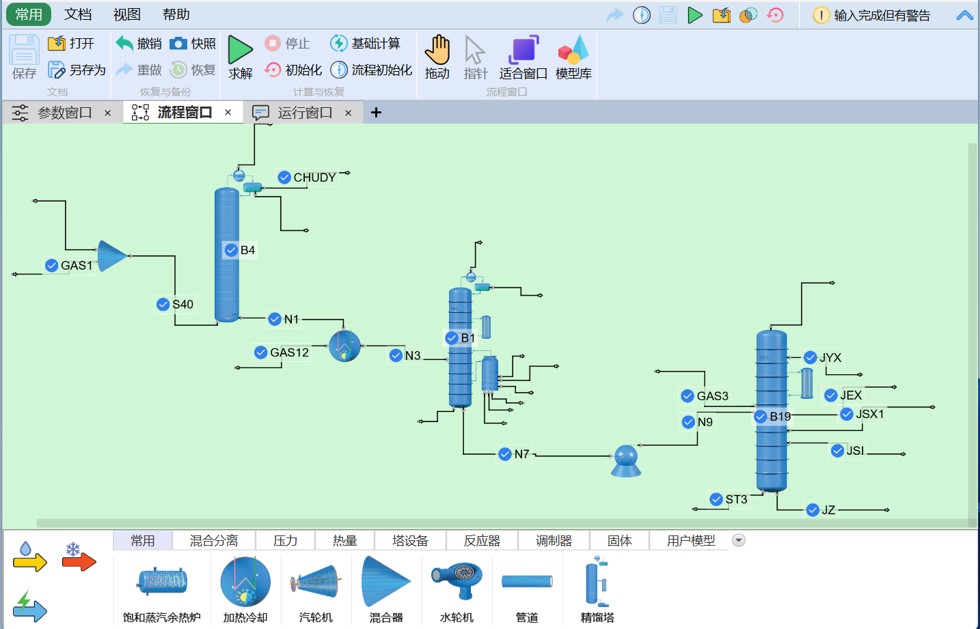
Flowsheet modeling workspace
Build flowsheets on the canvas, with material and energy streams drawn as you connect units.
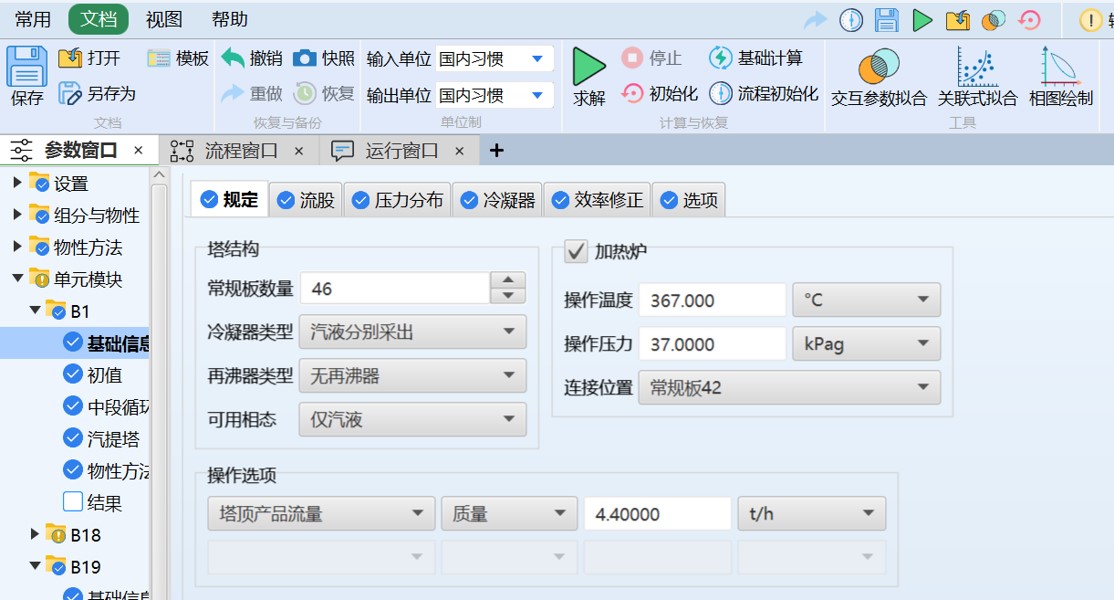
Parameter input and output panel
The parameter window is defined by a structured, form-based interface that leverages real-time status indicators—such as red checks for missing required inputs and blue checks for completed sections—allowing users to rapidly validate simulation setups, seamlessly convert engineering units, and navigate complex thermodynamic data through an intuitive, hierarchical tree structure.
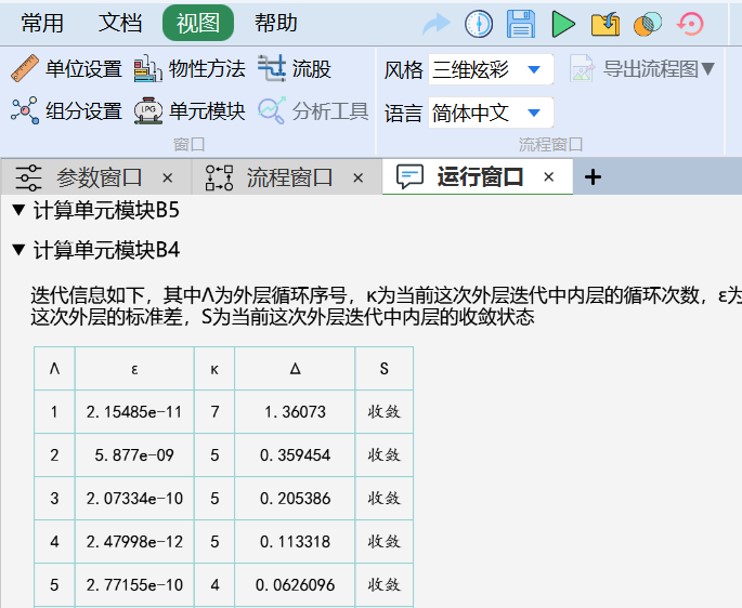
Running panel
The Running panel window displays real-time messages during the solution process, making it easy for users to modify the model and improve convergence conditions.
Scenarios
Where it is used
Every industry cares about different parts of a process calculation, so the software organizes modeling and results by use case.

Refining and petrochemicals
Process calculations and operating-parameter comparisons for crude distillation, catalytic cracking, hydroprocessing and similar units.

Specialty chemicals and pharma
Evaluate how yield, purity and energy use trade off across reaction, crystallization and solvent recovery steps.

Energy and utilities
Material and energy balance analysis for steam power, heat exchanger networks and utility systems.
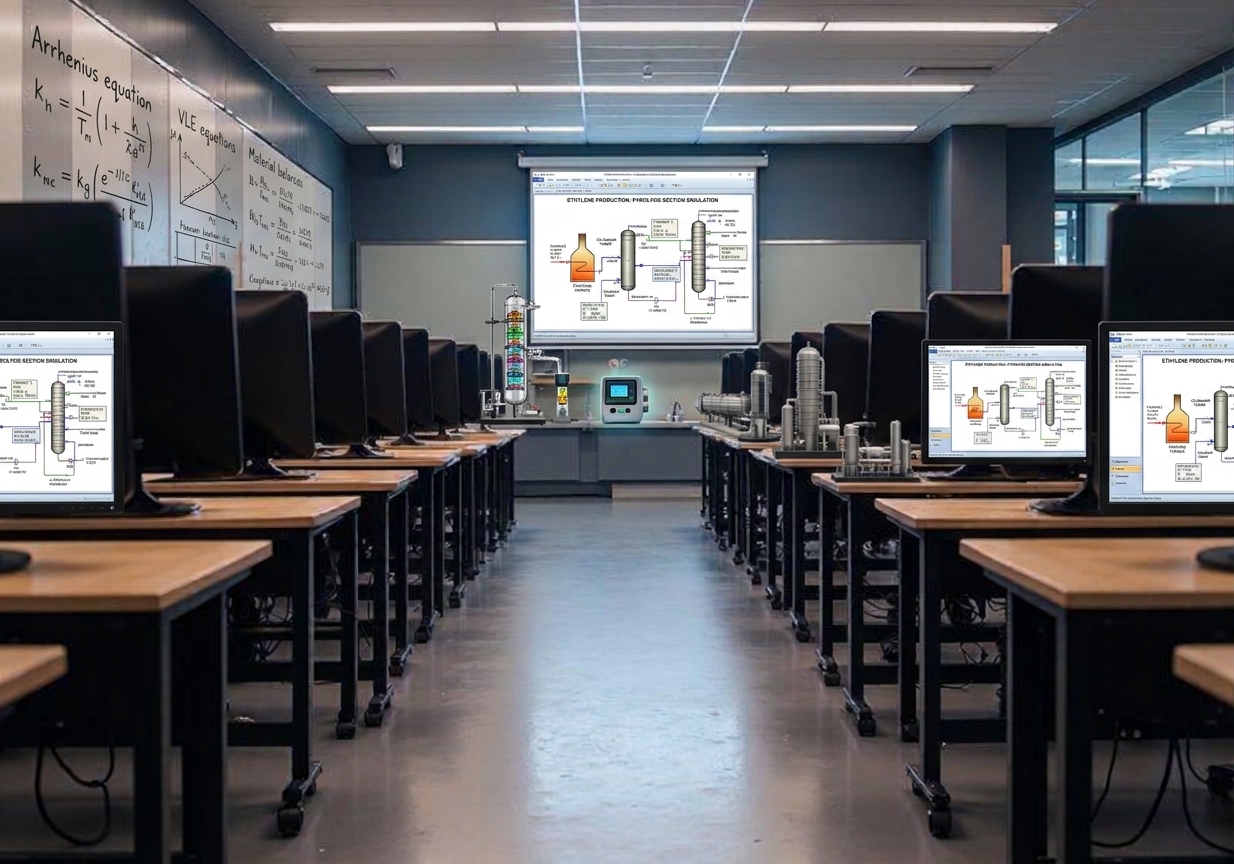
Universities and research
Example projects and a structured modeling workflow for process simulation courses and research work.
FAQ
Frequently asked questions
Common questions about system requirements, usage and troubleshooting.
It supports Windows 10 and 11, as well as specific versions of Linux and macOS; the software has no special hardware requirements and runs smoothly on standard personal computers.
No. All calculations run locally. You only need a connection to check for updates or download the installer.
You can input basic component properties, temperature-dependent property correlations, and interaction parameter data in the component properties interface; you can also input molecular structures and group counts in the property estimation interface.
The user experience and operating habits of this software are consistent with industry-leading software such as Aspen Plus.